Search for answers or browse the topics. Enter any word to search all topics!
VIP Appointment Workflow
1) Review cs@bridalsbylori.com emails looking for a VIP appointment confirmation email. There will be two emails, a. with contact info and payment info
b. The appointment information for the customer
2) Optional: Login to forms.bridalsbylori.com/?access, go to Forms – VIP Enhanced Appt – Entries to review details to double check Paypal payment details and transaction code
https://forms.bridalsbylori.com/wp-admin/admin.php?page=gf_entries&id=98
3) Take info from both emails and add vip appointment to POS, create customer profile and event. Add Ticket with VIP Appointment sales transaction and paypal payment info. If requested appointment is in conflict with another quickly discuss with a Couture Sales Manager to see if new vIP appointment can work. Confirm details with Customer. If their VIP appointment must be moved remember to login to forms..bridalsbylori.com to do.
4) Call customer and confirm appointment and details
5) Login to forms.bridalsbylori.com/?access, go to Gravity Booking – Appointments. Locate customer and and change Status to Confirm
https://forms.bridalsbylori.com/wp-admin/edit.php?post_type=gfb-appointment
6) You are Done,
7) A Cancellation occurs. Log back in to Gravity Booking – Appointment list and cancel the appointment, then DELETE it. Cancel VIP sales transaction in POS and refund payment in POS. Then have Accounting login to Paypal and refund Customer’s payment there.
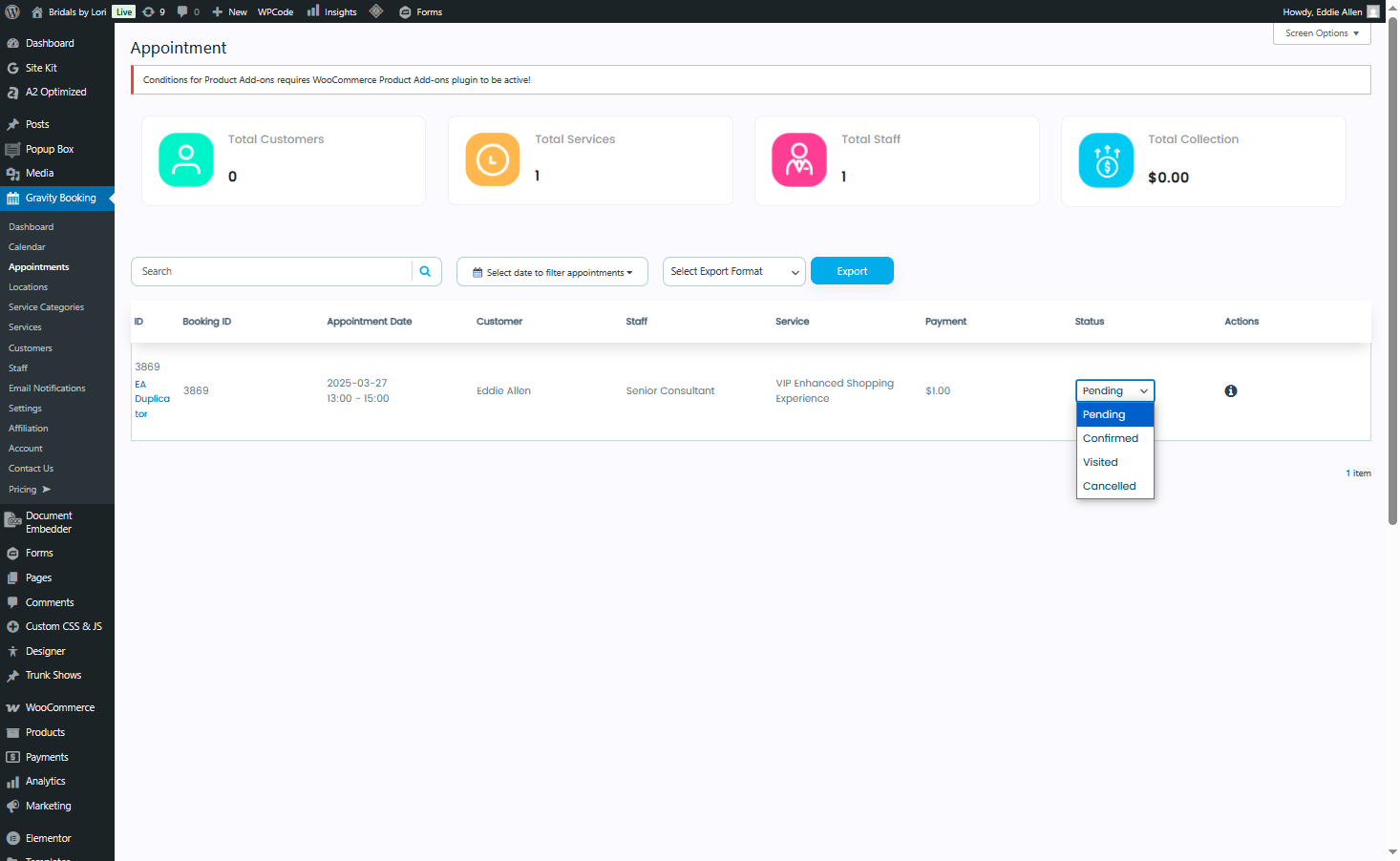
8) A change to appointment date/time. Login to forms.bridalsbylori.com/?access, go to Gravity Booking – Appointments. Locate customer and and cancel then delete appointment. No add a new appointment for the customer by going to Gravity Bookings – Calendar. Select Location, Service and Staff, PLUS will appear on calendar dates where you can add a new appointment for changed to Date and time.
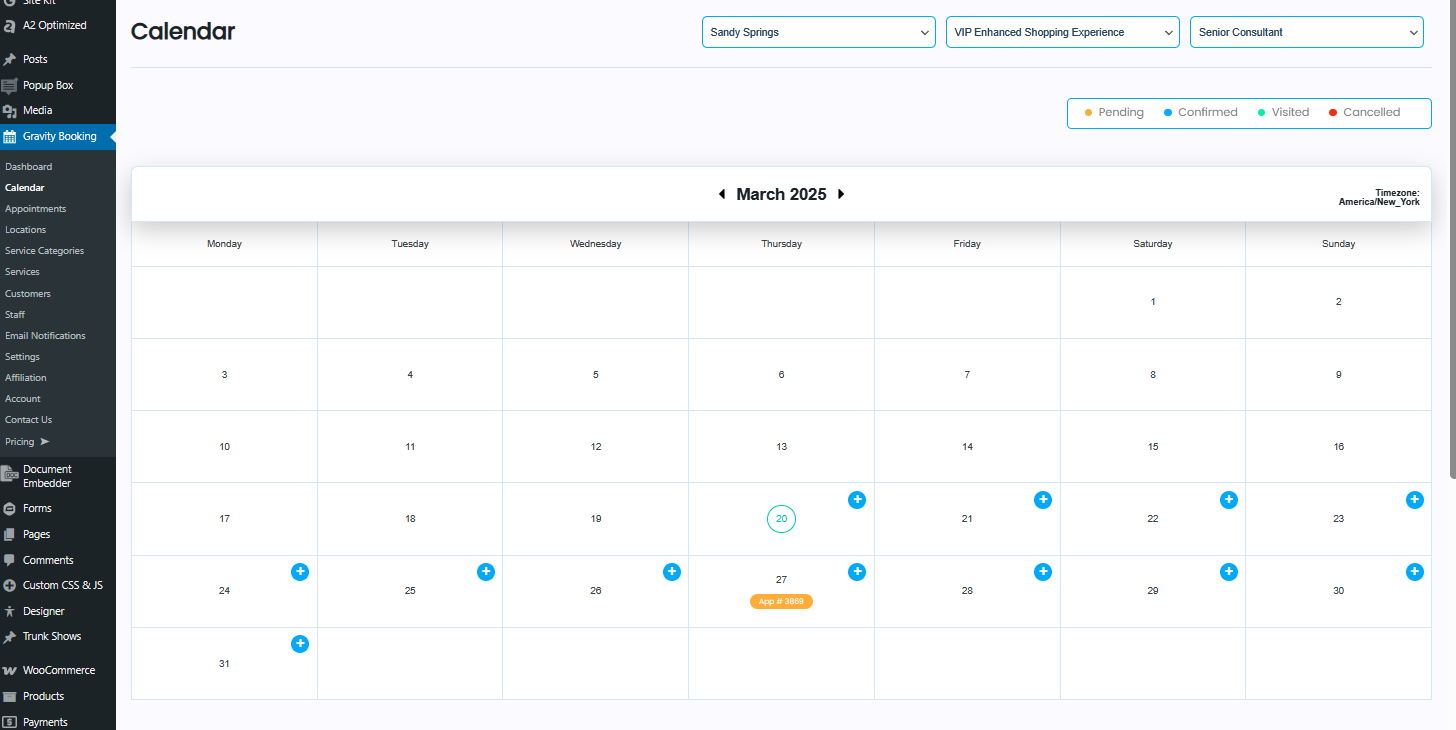
https://forms.bridalsbylori.com/wp-admin/admin.php?page=gfb-calendar